Server settings
Game-specific fields in Basic view, raw config in Advanced. Changes survive every restart.
Basic config
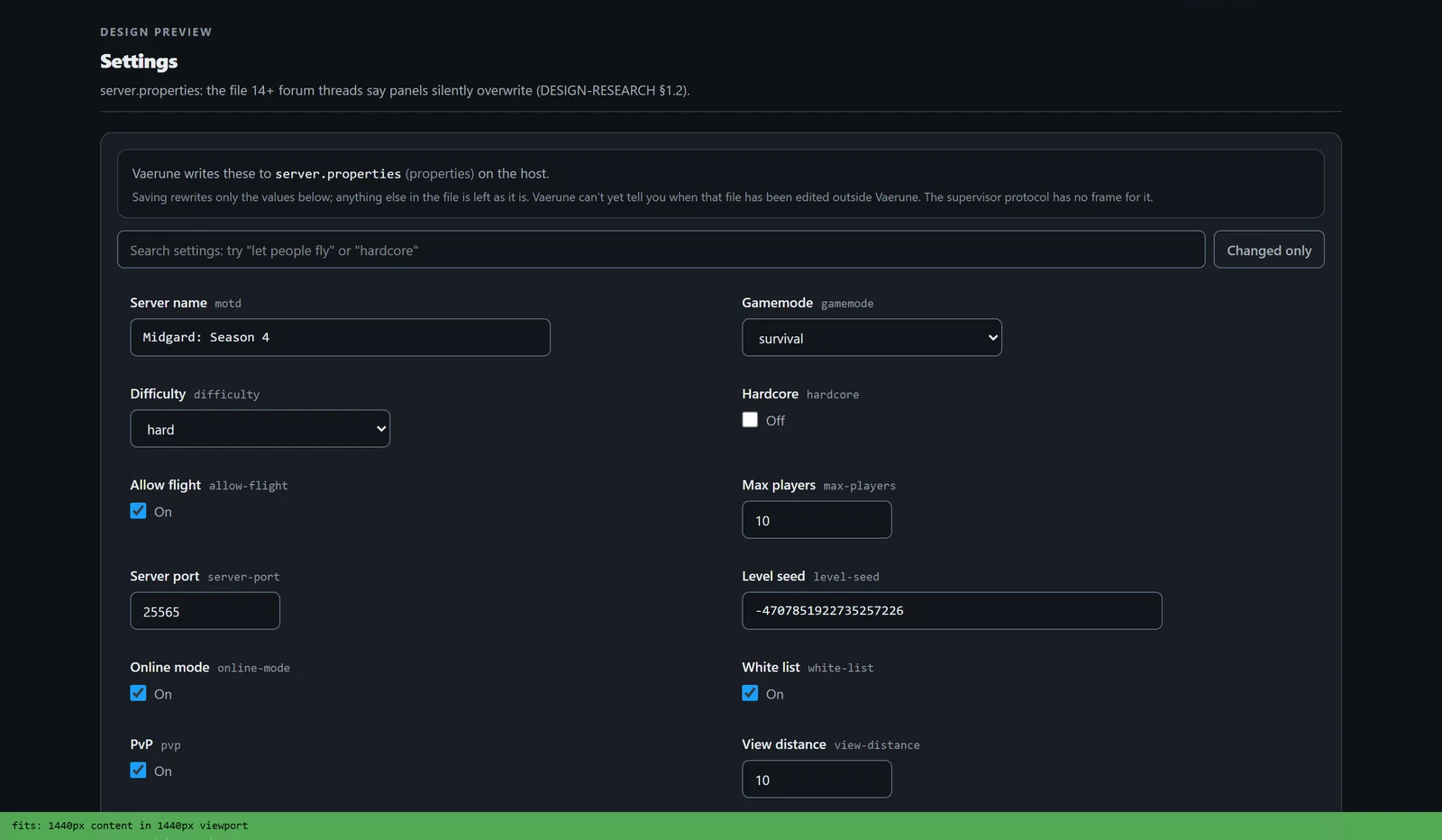
The Settings tab opens in Basic view by default. It surfaces the fields Vaerune understands for the game in question: server name, max players, password, port, game mode, difficulty, and whatever else is common to that title. Changing a field and saving applies it to the underlying config file immediately. No manual file editing, no hunt for the right property name.
If the server is running when you save, Vaerune applies the change to the config on disk and prompts you to restart if the setting requires it. Settings that can be applied live are sent to the server without a restart.
Advanced config
Switch to Advanced to see the raw config file in a text editor with syntax highlighting. Every property the game supports is available here, including options Vaerune does not expose in Basic view. Changes are validated for the file format before saving.
Basic and Advanced are views of the same underlying file. A change in one is reflected in the other: if you set a field in Advanced that Vaerune also shows in Basic, the Basic field updates to match.
Settings persistence
Vaerune manages the config file. Settings survive game updates because Vaerune re-applies your saved values after the update finishes. For games that overwrite their config on update, Vaerune detects the overwrite and merges your values back before the server restarts.