Get started
From download to a running server in a few minutes.
Download and install
Vaerune runs on Windows. Head to vaerune.com/download and grab the installer. Run it, accept the prompt, and Vaerune installs to %LocalAppData%\Programs\Vaerune. No admin rights required.
The Vaerune app for iPhone lets you check on and control your servers from anywhere. It is rolling out on the App Store now. On desktop, Vaerune updates itself silently in the background and prompts you to restart when a new version is ready.
Sign in
On first launch, Vaerune opens a sign-in screen. You can authenticate with email (a one-time code is sent to your inbox), Discord, Google, Steam, or Apple. Choose whichever fits your setup: they all create the same free account and you can add more methods later from your account page.
One account ties your servers, entitlements, and library together across every device you sign in to.
First launch
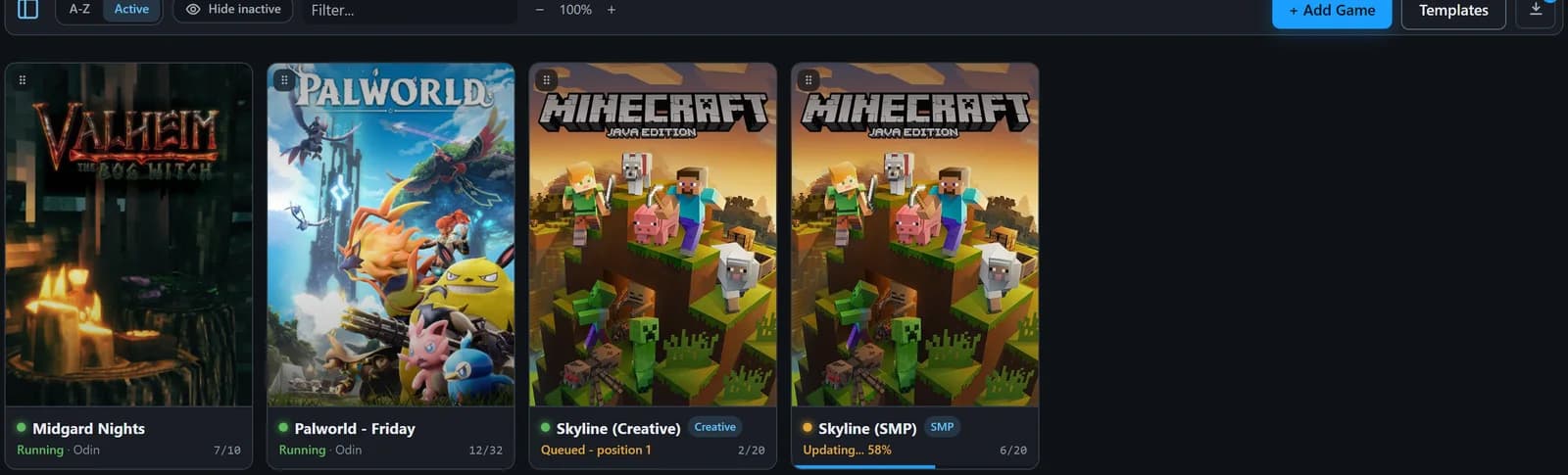
After signing in you land on the Library screen. If this is a fresh install the list is empty. Click Add a server and Vaerune walks you through picking a game, finding or confirming its install location, and writing a starting config. Most popular games are ready in under a minute.
Vaerune keeps all server state on your own machine. Your files, your drives, no data sent anywhere except the telemetry you opt into.