Downloads
Vaerune manages install and update downloads in a queue. You do not have to keep the window open.
Install and update queue
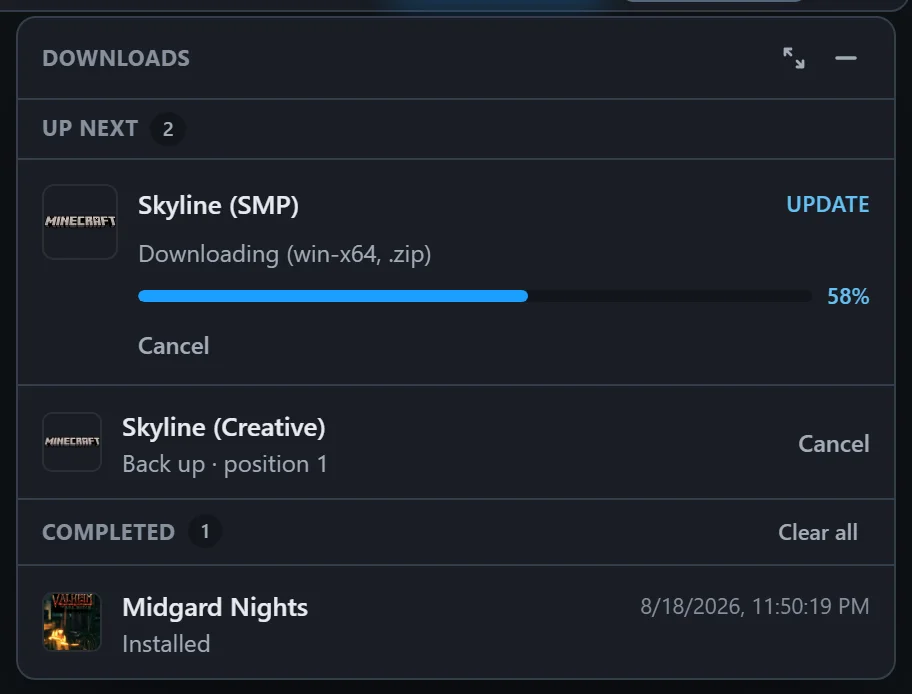
When you add a new game or an update becomes available, Vaerune adds the job to a download queue. Multiple jobs run sequentially: Vaerune finishes one download before starting the next so your connection is not split across several large files at once.
The queue shows each pending job, its progress bar, estimated time remaining, and current download speed. A completed job moves to a done list with the final size and how long it took.
Background downloads
Downloads continue even if you close the Vaerune window or minimize it to the tray. The job runs in the background inside the Vaerune process. If you restart Vaerune while a download is in progress, SteamCMD resumes from where it left off rather than starting over.
Progress and minimize
The Downloads button in the library header opens the queue; the minimize control collapses it out of the way while work continues. Progress only ever moves forward, and you can pause an update and resume it later, or cancel a queued item before it starts.